
PDF to JPG Converter
Convert PDF to JPG images online with our free PDF to JPG converter. No server uploads, no watermarks, and no signup required. Convert PDF files to JPG completely free.
How to Convert PDF to JPG Online?
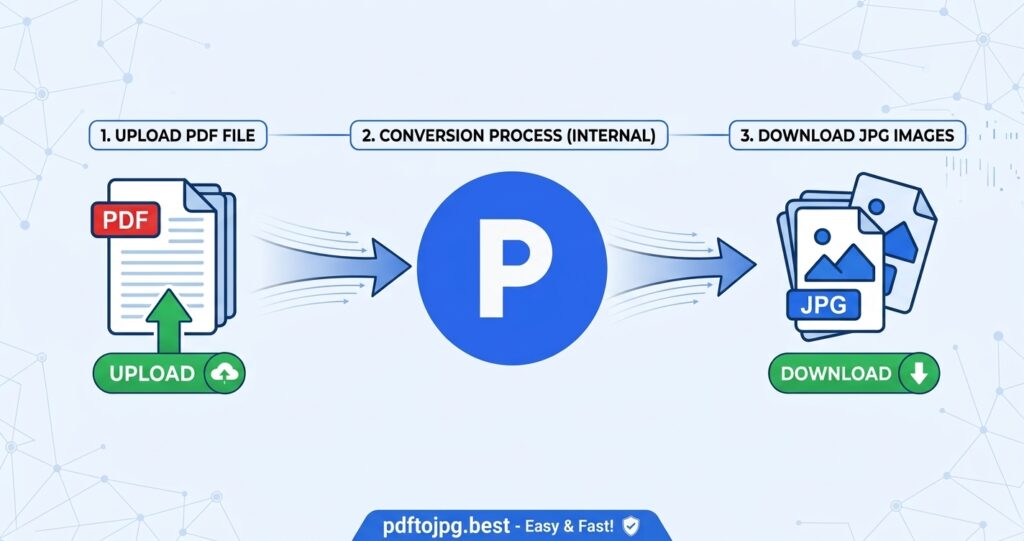
Follow these simple steps to convert PDF files to JPG images with our free online PDF to JPG converter:
Upload PDF Files
Drag and drop your PDF files into the tool, or click “Choose PDF File” to select the files you want to convert to JPG.
Convert PDF to JPG
Click the “Convert to JPG” button to convert your PDF files into high-quality JPG images.
Download JPG Images
Once the conversion is complete, click the “Download” button to save the converted JPG images to your device.
Change PDF to JPG Image - PDF to JPG
Convert PDF to JPG images online with our simple and free PDF to JPG converter. Select your PDF files, convert them to JPG images, and download the converted files instantly. Your files are processed securely in your browser and never uploaded to our servers. Convert multiple PDF files to JPG for free on desktop, tablet, or mobile devices, with no watermarks.
Key Features of PDF to JPG Converter
Fast and Easy PDF to JPG Conversion
Convert PDF to JPG quickly with a simple and user-friendly interface. Upload your PDF files, start the conversion, and get JPG images without complicated steps.
Convert Multiple PDF Files
Convert multiple PDF files to JPG images in one go. The batch conversion feature makes it easy to process several documents, scanned files, or PDF pages without converting each file separately.
High-Quality JPG Images
Turn PDF pages into high-quality JPG images while preserving the important details of your original document. JPG images are ideal for sharing, uploading, viewing, and using PDF content as images.
Free PDF to JPG Conversion
Convert PDF to JPG online for free without creating an account or installing software. Upload your PDF files, convert them to JPG images, and download the results at no cost, with no signup or watermarks.
Secure Browser-Based Conversion
Convert PDF to JPG directly in your web browser. Your PDF files are processed on your device and never uploaded to our servers, keeping your documents private.
Works on Any Device
Convert PDF files to JPG from any device. The online PDF to JPG converter works on desktops, laptops, tablets, and smartphones, making PDF image conversion convenient wherever you are.
Download JPG Images Easily
Download your converted JPG images as soon as the PDF to JPG conversion is complete. Save the image files directly to your device and use them wherever the JPG format is supported.
Frequently Asked Questions
A PDF to JPG converter is an online tool that changes PDF pages into JPG image files. Each PDF page can be converted into a separate JPG image that you can view, share, upload, or save on your device.
Upload your PDF files to the PDF to JPG converter. Click “Convert to JPG” to turn each PDF page into a JPG image, and then click “Download” to save the images to your device.
Yes. You can convert PDF to JPG online for free without creating an account or installing additional software. The converter also produces JPG images without watermarks.
Yes. You can upload multiple PDF files and convert them to JPG images in one go. This makes it easier to process several documents without converting each PDF separately.
No. Your PDF files are processed directly in your web browser and are not uploaded to our servers. This browser-based approach helps keep your documents on your device during the conversion process.
Yes. The online PDF to JPG converter works on smartphones, tablets, laptops, and desktop computers. You can convert PDF files to JPG from any device with a compatible web browser.